Migrate to Google Cloud SQL MySQL Without Downtime
Moving MySQL workloads across clouds without downtime is important for global teams. NineData makes Google Cloud SQL migration secure, fast, and easy to verify.
Why use NineData?
NineData simplifies cross-cloud migration with a toolkit built for security and efficiency:
- No public access required: Connect to GCP through NineData's encrypted gateway without exposing databases to public networks.
- Zero downtime: Replicate schema, full data, and real-time changes from MySQL binlogs or redo logs. Switch traffic when the delay reaches 0s.
- Fast sync: Sync up to 200 GB/hour of full data and 20k records/sec of real-time updates.
- Data consistency: Automated validation helps ensure source-to-target accuracy.
- Rollback readiness: Bidirectional sync lets you switch back to the source if needed.
Before you begin
- Add the source database and the Google Cloud SQL target to NineData.
- Make sure you have permission to create replication tasks and alert rules.
- Prepare the target Google Cloud SQL instance and the required network access.
Migration steps
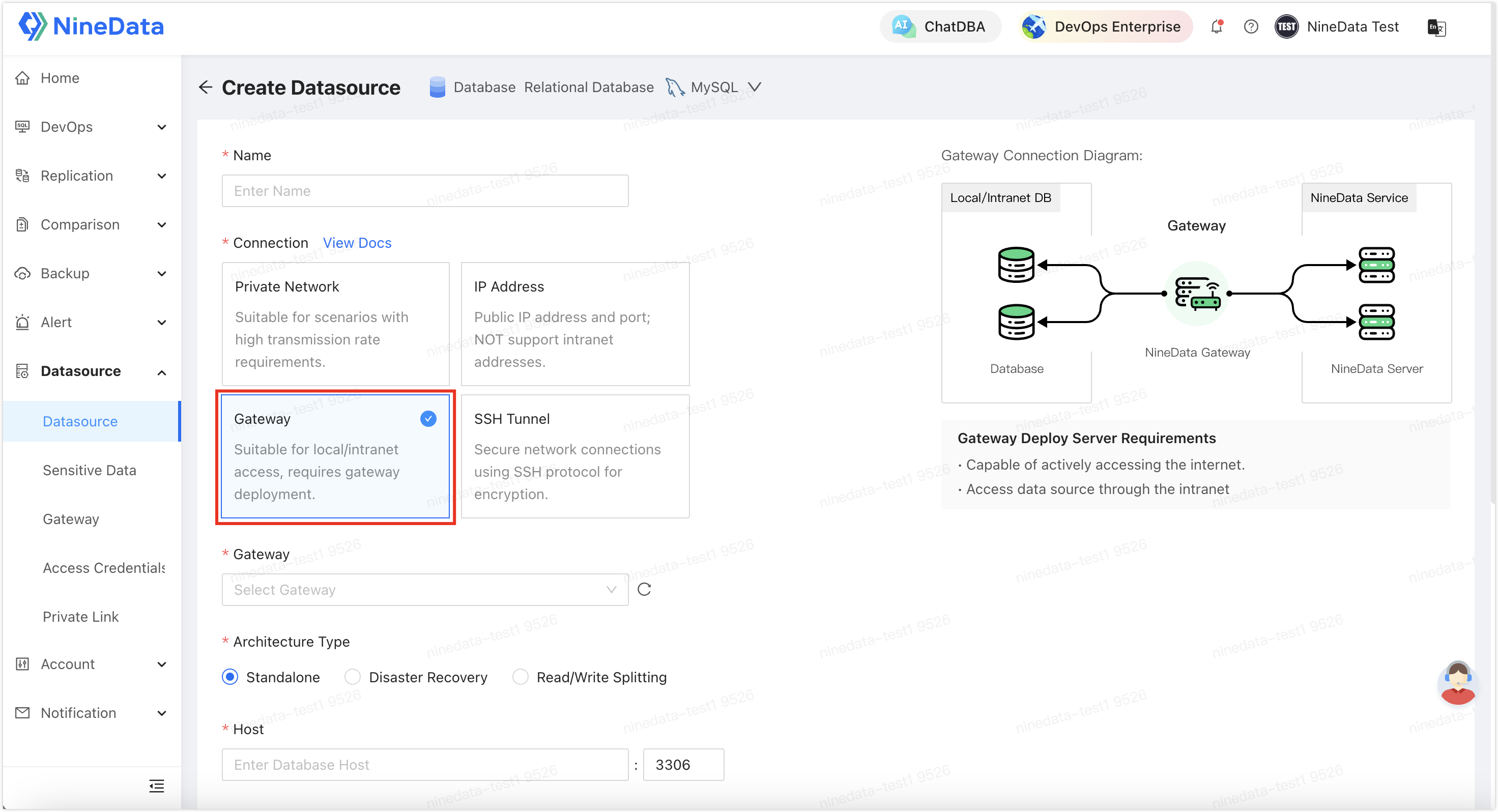
Step 1: Set up secure connections
Add the source database and Google Cloud SQL to NineData. Use NineData's gateway for private access.
Step 2: Start replication
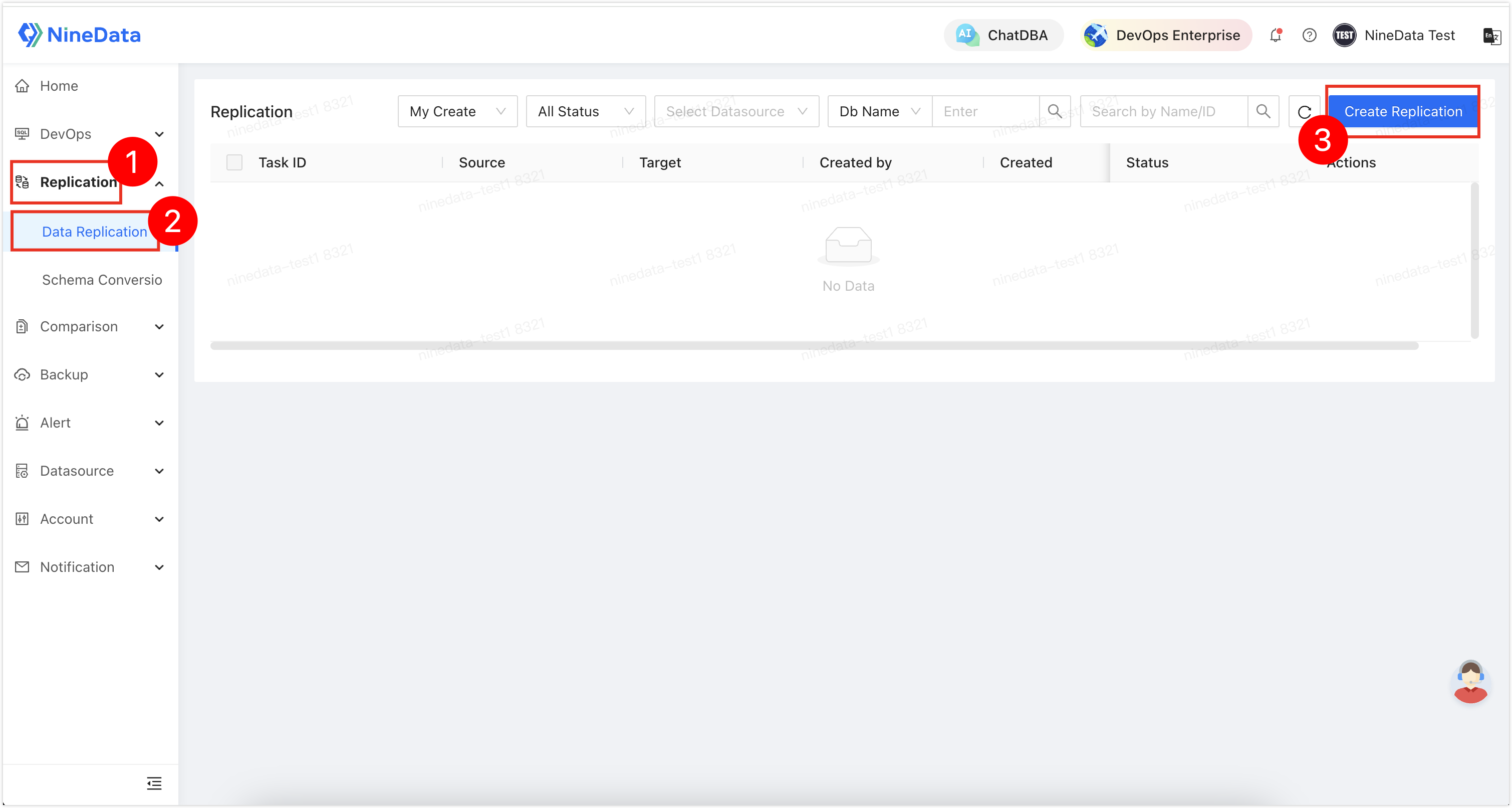
Sign in to the NineData console, go to Replication > Data Replication, and then click Create Replication.
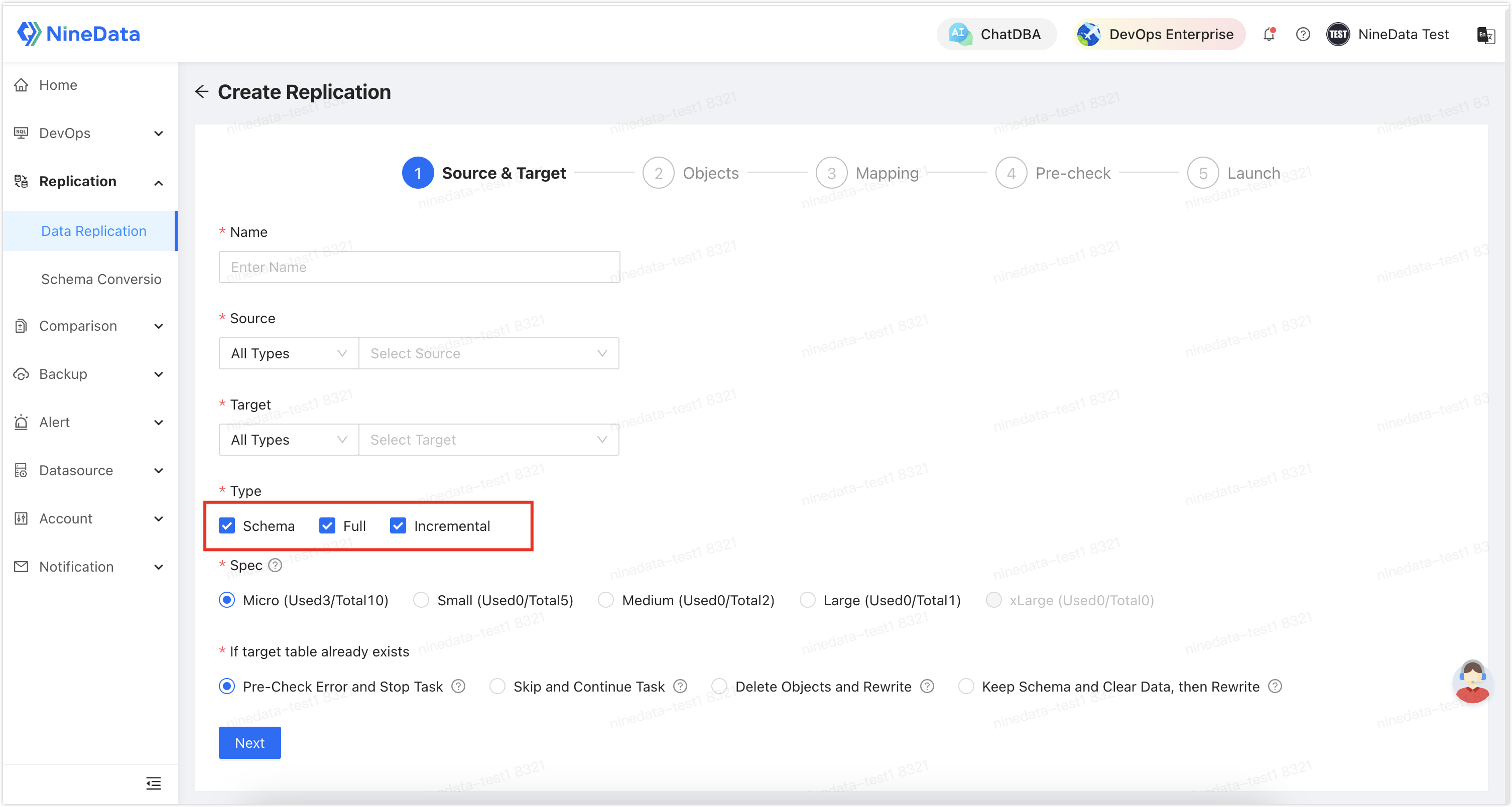
Follow the prompts to configure the replication task. To migrate the structure, full data, and incremental changes, select Schema, Full, and Incremental in Type.
Step 3: Validate and cut over
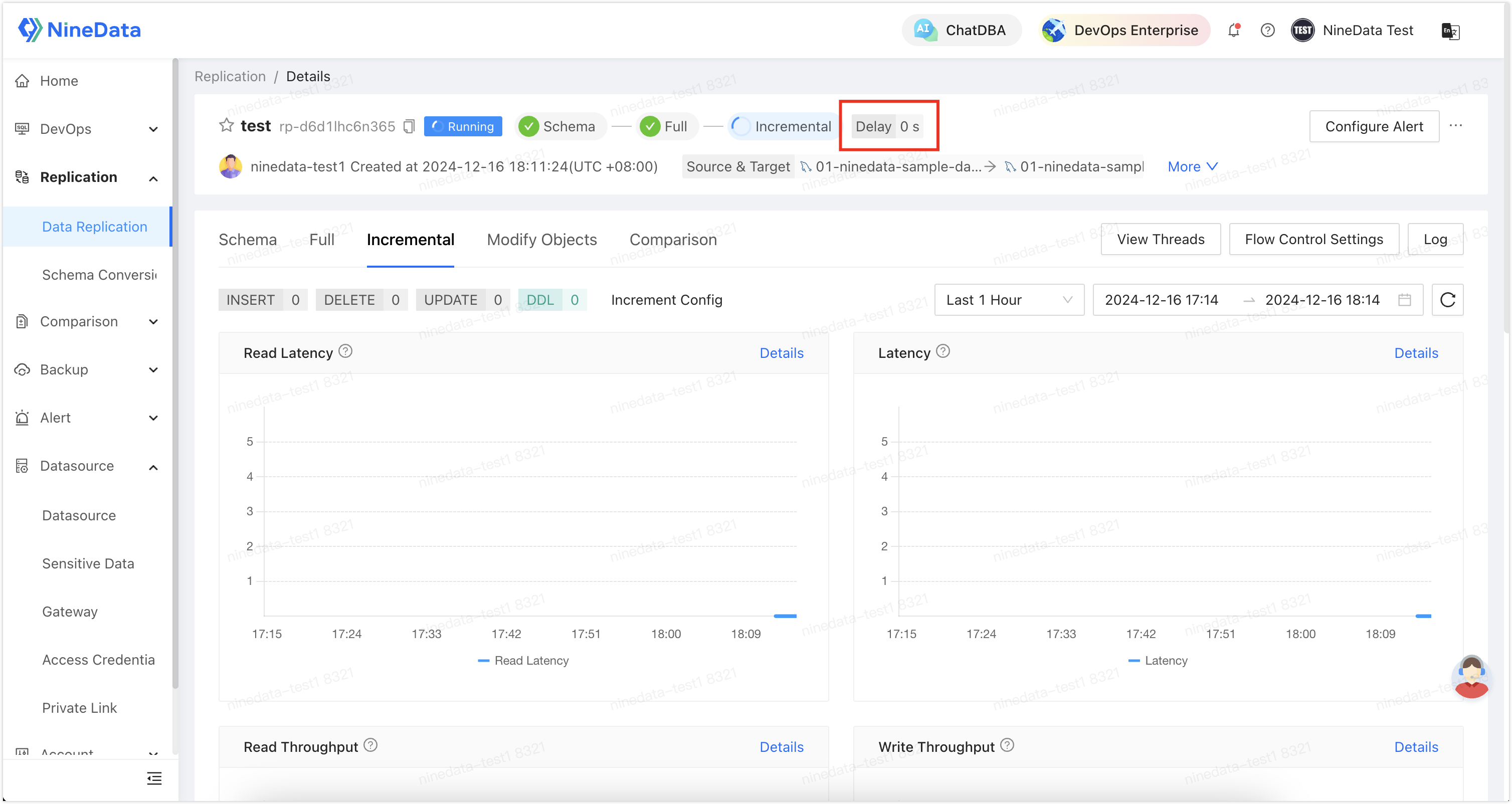
Confirm consistency with automated checks. When the delay reaches 0s, switch applications to Google Cloud SQL with real-time monitoring.
Step 4 (Optional): Configure task alerts
Because migration tasks can run for a long time, use NineData to monitor task status in real time and notify you when something changes.
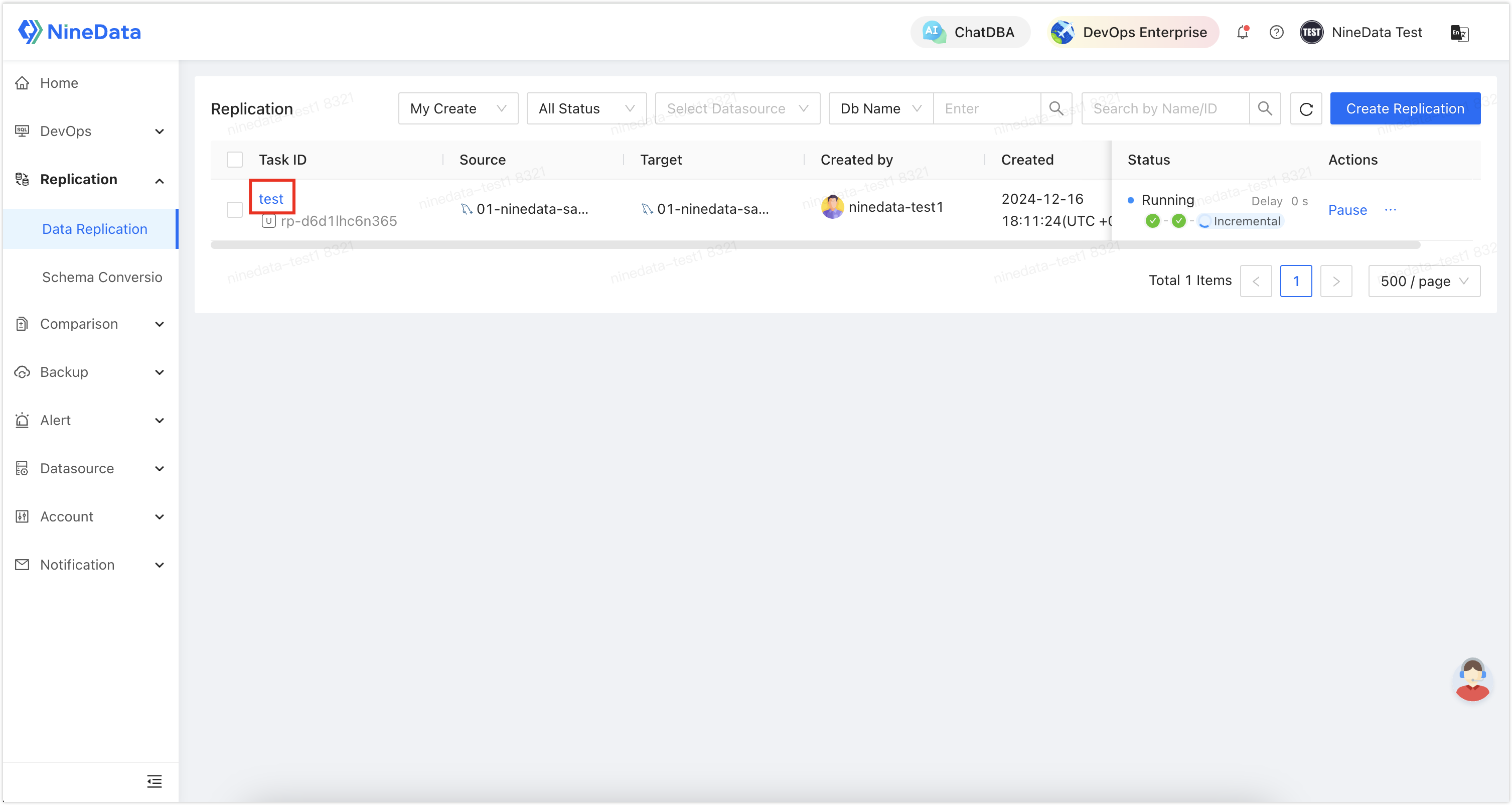
Sign in to the NineData console, go to Replication > Data Replication, and then click the replication task ID created in Step 2.
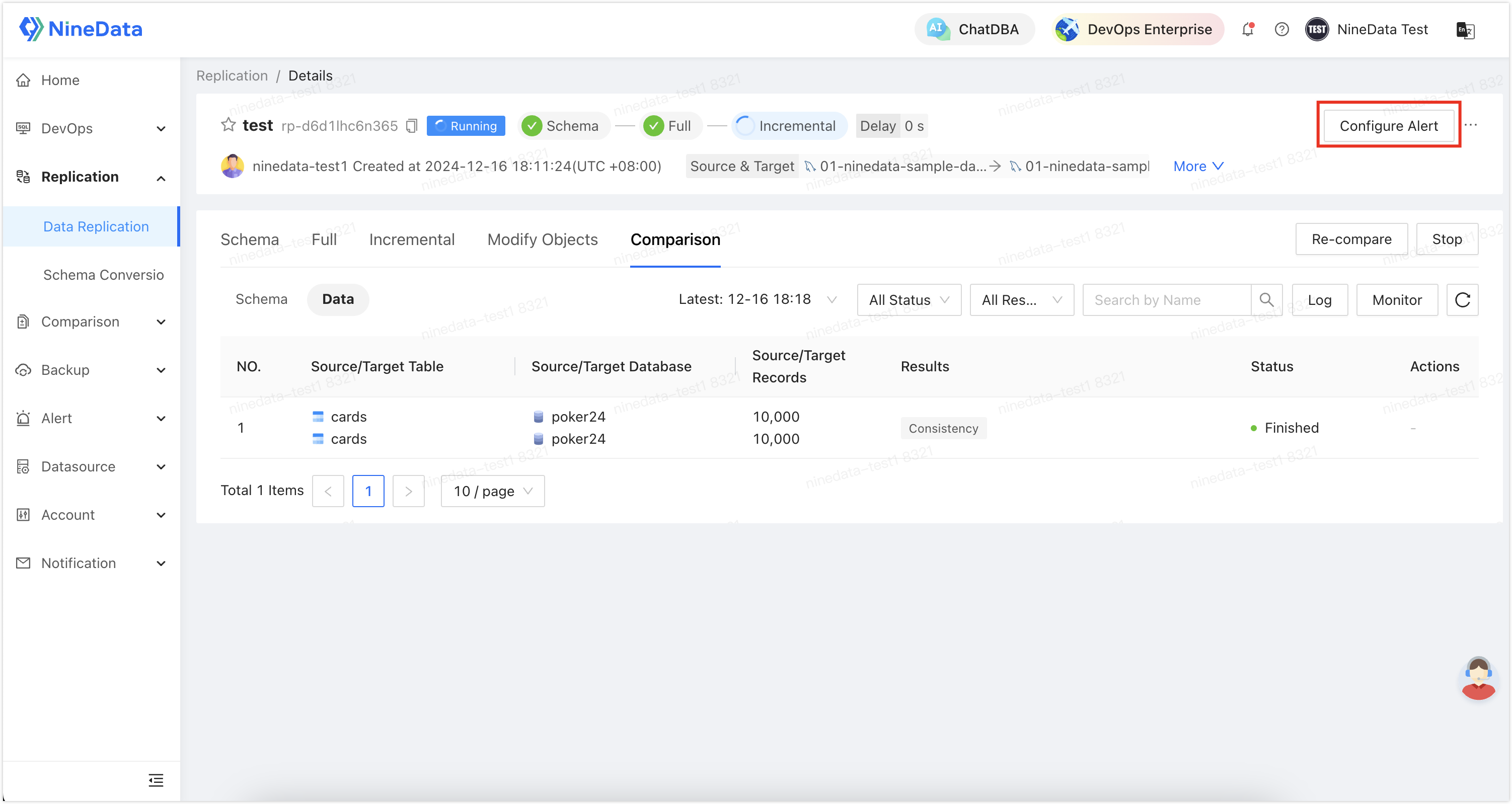
Click Configure Alert in the page header.
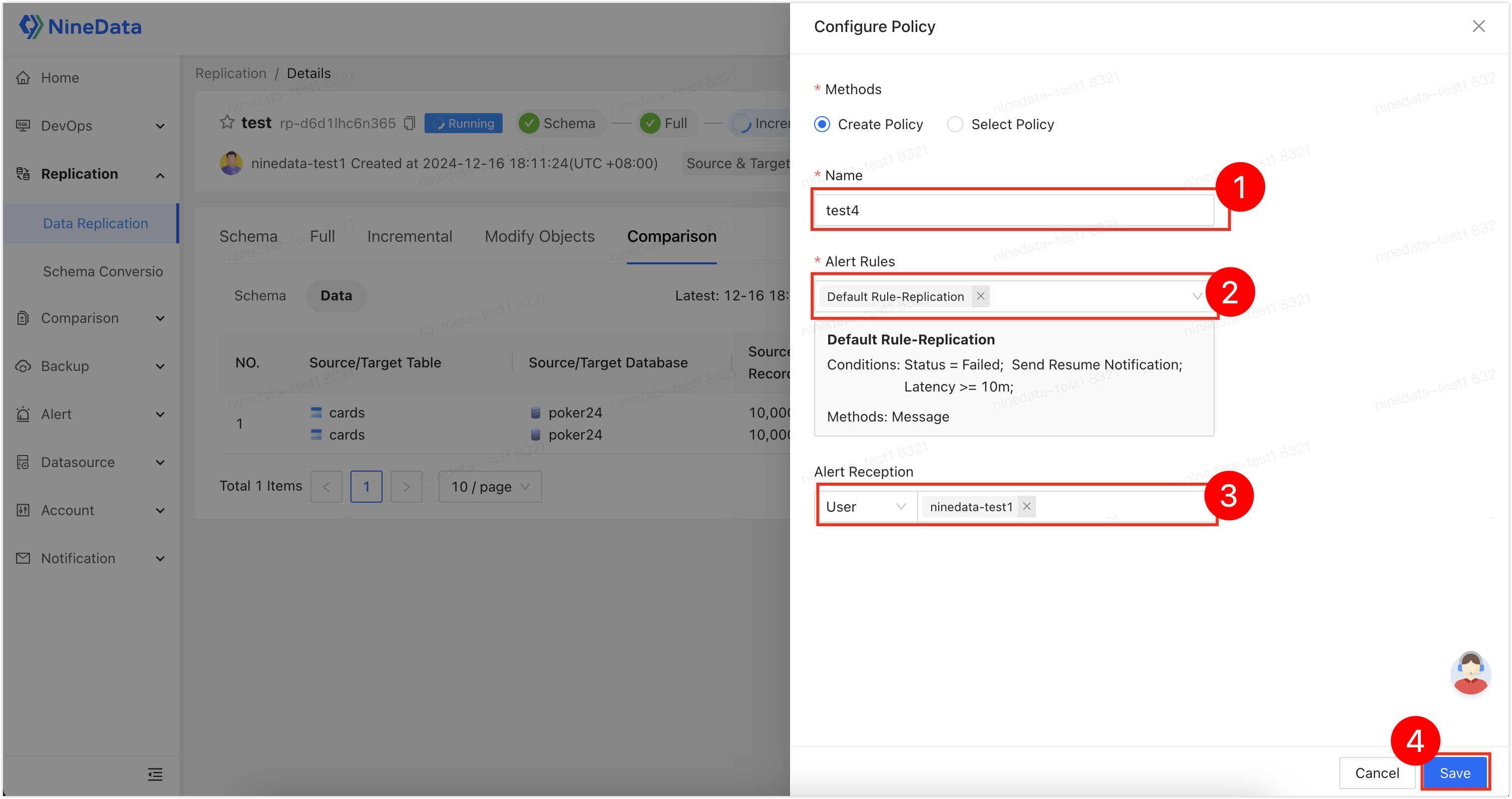
Configure the alert policy and click Save. Use the built-in rules to send SMS reminders when the task fails or the replication delay reaches 10 minutes. Create custom rules if required.
Result
With the steps above, migrate business data from another cloud to Google Cloud SQL MySQL. When incremental replication reaches zero delay, switch traffic to the new environment with minimal downtime.
Next steps
- Keep alert rules enabled while you validate the new environment.
- For rollback protection during cutover, keep bidirectional replication in place until the switch finishes.